FOR EMPLOYEES
Self-Service Assistant
Help employees find relevant knowledge and services, understand what to request and get support in natural language.
- Permission-aware knowledge answers
- Service catalogue discovery
- Guided request creation
Help employees find answers. Give IT teams the context to act. Turn service ideas into reviewable drafts.
 ServKoru AIOne service foundation
Find the relevant service and understand the information your IT team needs.
Review the available service, provide your business reason and follow its approval process.
AI assistance across the service lifecycle, with a clear purpose for each agent.
Help employees find relevant knowledge and services, understand what to request and get support in natural language.
Work with ticket context, accessible knowledge and selected Microsoft tools, while keeping the authorisation of each action visible.
Turn a service idea into a structured form and supported process draft. Review the proposal before making it available to employees.
Explore two everyday scenarios. Each step keeps the right person in control.
Connect the employee’s request, business approval and IT operation, while preserving the separate controls each step needs.
See your scenario in a demoThe employee uses the portal and Self-Service Assistant to understand what to request.
The service form records the information IT and the approver need.
The configured approver reviews the request before fulfilment.
An authorised IT user inspects the Agent Assistant’s proposed operation and confirms it.
The request and tool audit provide a traceable outcome.
Describe what employees need. Service Designer helps prepare the fields, routing and supported approval process, ready for administrator review.
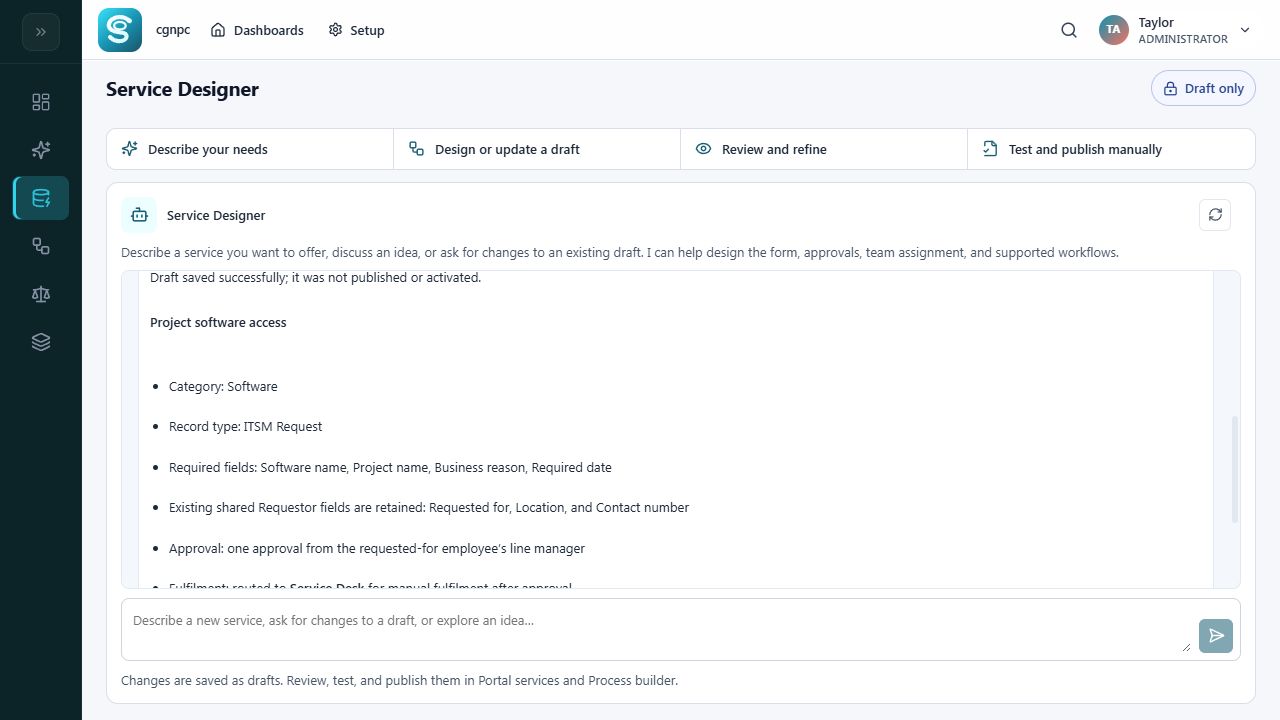
Administrator review and manual publication.
Bring identity, support email and collaboration into your service workflows. Enable selected operational tools within your organisation’s permissions.
Explore Microsoft 365 capabilitiesUnderstand what assistance can do, what needs your confirmation, and what stays in human hands.
Assistant access, tool availability and tenant permissions define the scope of assistance.
Enabled operational writes require the current user’s explicit confirmation.
Service Designer prepares drafts. Administrators review, test and publish them.
Review assistant interactions and tool activity in the AI governance workspace.
Explore real workflows with your team. Book a demo to arrange your free three-month trial.
Identify a recurring request and the people involved.
Explore the relevant agents and agree a focused scope.
Compare handling effort and service experience against your baseline.
Both work together. ServKoru connects requests, service catalogues, approvals, knowledge and SLA tracking with three role-focused AI agents.
They serve different users across the service lifecycle. This does not imply autonomous delegation between agents. Business approval, operational confirmation and publication controls remain separate.
Selected enabled tools can execute authorised operations after user confirmation. Availability depends on tenant consent, assistant access and the specific tool. Some Exchange operations require additional setup.
Yes. We offer a free three-month trial, arranged after a demo. Choose a workflow and agree the setup with us so your team can evaluate ServKoru in your environment.
Book a demo and explore a free three-month trial for your IT team.